Drake Burning Bridges AI Video from One Photo
Drake Burning Bridges AI with you as the party lead: under crystal chandeliers, you point at the lens, raise a silver cup and shade your eyes to search the room while older guests dance behind you. Sample people are AI-generated. Not the official video.
- Sample 1
- Sample 2
Add your photo
Pick quality and length
This video: 5 credits · 20 videos a month for $29.90, or 80 a year for $100
By creating, you confirm you have permission to use these photos. A video that fails is never charged.
No sign-up needed · Pay once, download your video
Unofficial fan-made tool. Not affiliated with or endorsed by Drake or any rights holder.
See a ready-made result instantly. No credits used.
Drake Burning Bridges AI examples: photo in, video out
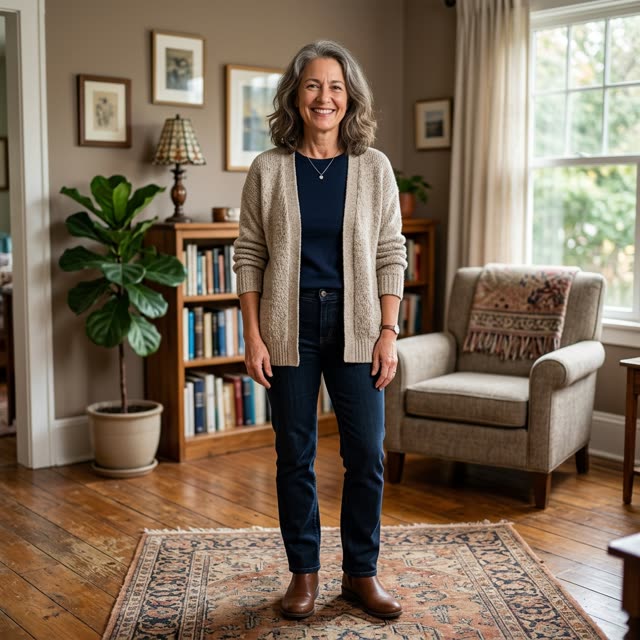 Example photo
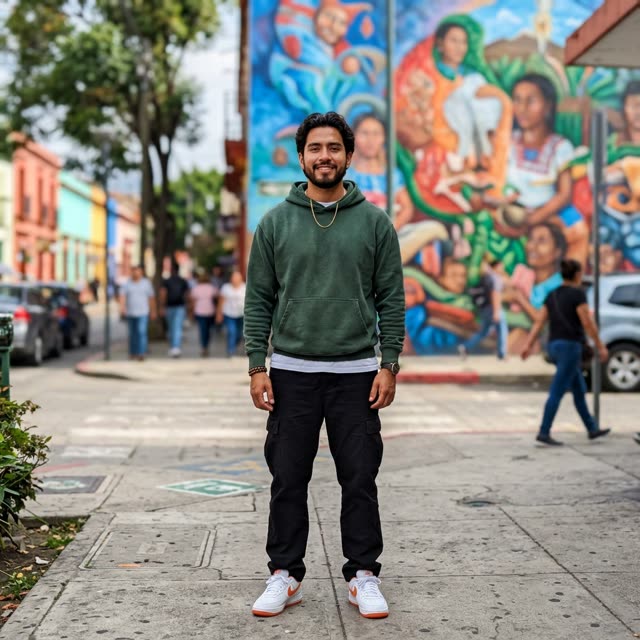 Example photo
How to use Drake Burning Bridges AI
Upload one photo of the party lead
One person, face clearly visible. The clip opens on your photo for a moment and then cuts to the dining room, framed close to the camera. Whatever you wear in the photo is what you wear at the party.
Keep the 5-second preset
The effect is set to 5 seconds, 720p, vertical 9:16, on Seedance 2.0 Mini, for 5 credits. A longer length or another model can be picked in the settings; the price updates before you pay.
Generate and post it
Expect a few minutes. You do not have to stay on the page. Download the clip from My Works, or from the private link guests get by email, and post it with the sound of your choice.
Where the Burning Bridges party scene comes from
"Burning Bridges" is track 8 on Drake's album Iceman, which came out on 15 May 2026. In the official video, Drake and his OVO circle celebrate under chandeliers in warm light, and short excerpts of that party travelled quickly on TikTok, Reels and YouTube Shorts. The moment people copy is simple: the lead stands close to the camera with a silver cup, points at the viewer, lifts the cup, then puts a flat hand over the eyes and scans the room, the gesture viewers tie to the "Where she at?" line.
The AI trend recasts that lead. Instead of Drake, it is your aunt, your manager or your best friend in the middle of the party, with the same pointing and searching. This page makes that version from one photo, and the preset tells the model not to imitate any celebrity: the face in the clip is the one in your photo.
What happens in your 5 seconds
The clip begins with your photo and moves into an elegant dining room: warm amber light, dark walnut walls, crystal chandeliers, and a crowd of well-dressed older guests dancing and cheering behind you. In one continuous handheld shot you look calmly into the lens, point at the camera, lift a polished silver cup on the next beat, and then shade your eyes with your free hand as if looking for someone across the room. Upbeat hip-hop party music plays underneath; the model generates it, so it is not the Burning Bridges track.
The default render is 5 seconds, 720p, vertical 9:16, on Seedance 2.0 Mini, and costs 5 credits. Our smallest pack is US$9.90 for 10 credits, which makes two of these clips, and you can pay as a guest. There is no watermark. Renders that fail or run past our time limit are refunded automatically, and a photo refused by the safety check costs nothing.
Tips from our own test renders
- The cup changes shape. We ask for a polished silver cup and no bottles or wine glasses. Across our renders the model drew it sometimes as a stemmed goblet and sometimes as a straight tumbler; both read as the same gesture.
- One hand stays busy. The cup stays in one hand for the whole clip, so the point and the eye-shading are done with the other. A photo where your hands are free gives the cleanest start.
- Your outfit goes to the party. A cardigan and a green hoodie from our test photos came through unchanged. If you want to look dressed up next to the guests, upload a dressier photo.
- Full-length photos are fine. Our test renders started from head-to-toe photos, and the model framed the party shot on its own.
- Pick a photo you like. The first instant of the video is your uploaded picture before the cut, so it will be seen.
When a 5-second party clip is enough
Five seconds covers the whole gesture: look, point, lift, search. That makes it a quick reaction video for the group chat, a "where is everyone" post before a night out, or a birthday shout-out where the birthday person is the one doing the searching. You can raise the length in the settings, but the preset is written and tested for five seconds.
FAQ
- What is the Drake Burning Bridges AI trend everyone is posting?
- It is a wave of AI clips that put a new person in the lead spot of the chandelier party from Drake's "Burning Bridges" music video. The lead points at the camera, lifts a silver cup and shades their eyes to search the room. On this page that lead is whoever is in the photo you upload.
- What's Burning Bridges by Drake, and where does the trend come from?
- "Burning Bridges" is the eighth track on Drake's album Iceman, released on 15 May 2026. Its music video shows a warm, chandelier-lit party with Drake and the OVO crew, and clips of that scene spread on TikTok, Reels and Shorts. The AI trend copies the party setting and the gestures, not the footage.
- How do I make a Drake Burning Bridges AI video from my photo?
- Upload one clear photo of yourself and press Generate. The dining room, the chandeliers, the guests and the gestures are already written into the preset, so there is no prompt to write and no reference video to find. The default clip is 5 seconds at 720p for 5 credits.
- Does the clip include the Burning Bridges song?
- No. The model generates its own upbeat hip-hop party music with the video. It is not Drake's recording, and there are no lyrics from the song. If you want the real track behind your clip, add it from the TikTok or Instagram sound library when you post; the video is timed for a short loop.
- Will the Burning Bridges AI effect work with a pet?
- This page is set up for a photo of a person, and every clip we tested used one. We have not tested pets with this preset, so we cannot tell you how a dog or cat would handle the cup and the gestures. For a pet version, expect to experiment, and remember each render is paid.
- How much does a Burning Bridges AI video cost? Is there a free version?
- There is no free version; every video is paid. The default 5-second clip costs 5 credits, and our smallest pack is US$9.90 for 10 credits, enough for two clips. Guests can pay without an account. Failed or timed-out renders are refunded automatically, and refused photos are not charged.
- Are you affiliated with Drake or OVO?
- No. This is an independent fan-made tool with no connection to Drake, OVO Sound or Republic Records. We do not use footage or audio from the music video; each clip is generated new from your photo and a written description of the scene. Please upload only photos of yourself or of friends who agreed.
- What should I check before posting my Burning Bridges clip?
- Watch it once at full screen. Check that the face still looks like the person in your photo, that the hand holding the cup has the right number of fingers, and that no stray text or logo appears in the background. If something is off, a new render is a fresh attempt and costs credits again.
Make your Drake Burning Bridges AI video
Upload, tap once, and your video is ready in a few minutes.